Map Management
NAP Map
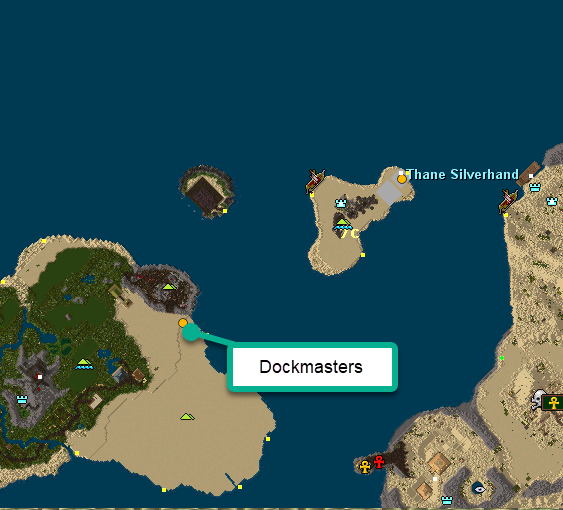
Section titled “NAP Map”We utilize a web app to manage dockmasters, houses, alliance dockmasters, and common rune traveling systems such as the shoreline system and Witcher runes.
The site requires the Discord MAP role. Ask an officer if you don’t have it.
Using the Map
Section titled “Using the Map”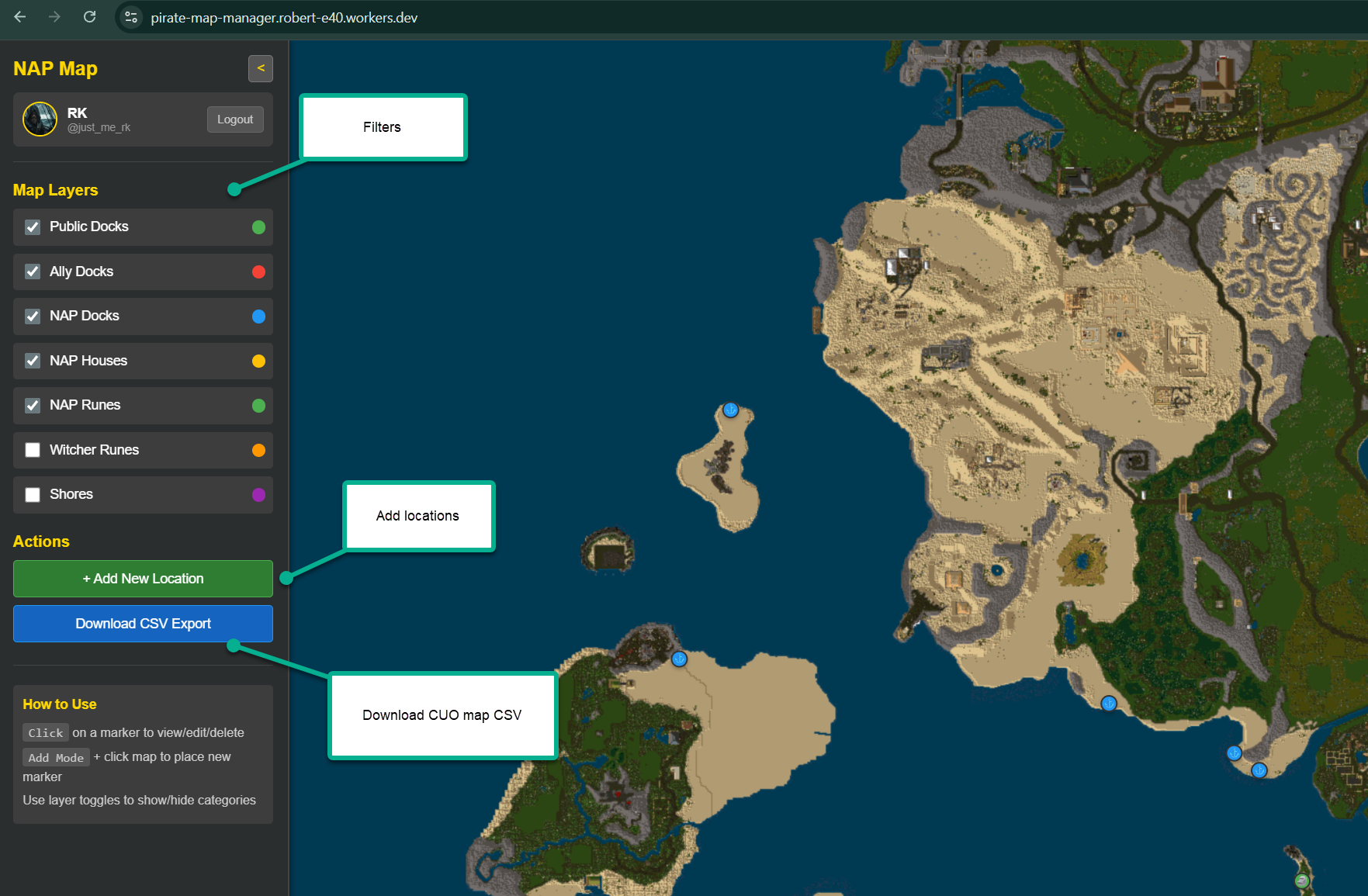
The map layers are coordinates — you can add, edit, and delete each point. Downloading the CSV produces a Classic UO compatible in-game map.
Implementing In Game
Section titled “Implementing In Game”The nap-locations.csv is ready to be put into your UO client folder. To see the points clearly you need the map icons installed:
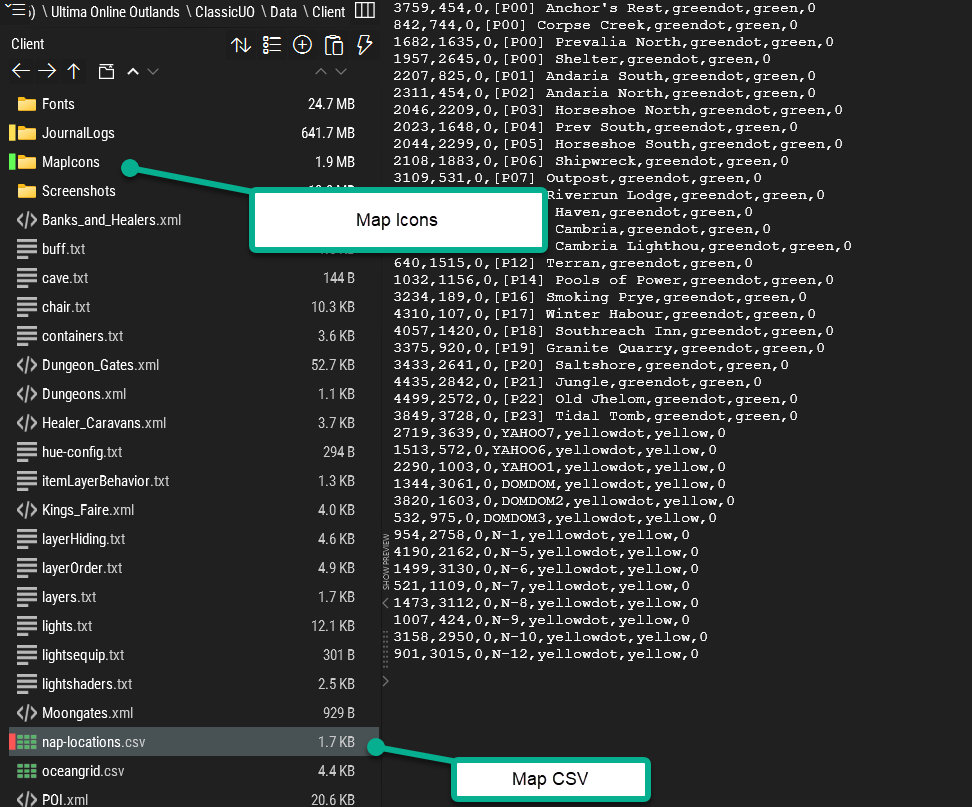
Extract the icons into the MapIcons folder. The CSV stays in the Client folder.
Ocean Grid
Section titled “Ocean Grid”We use an ocean grid to define where we are, where we’re going, and where people are.
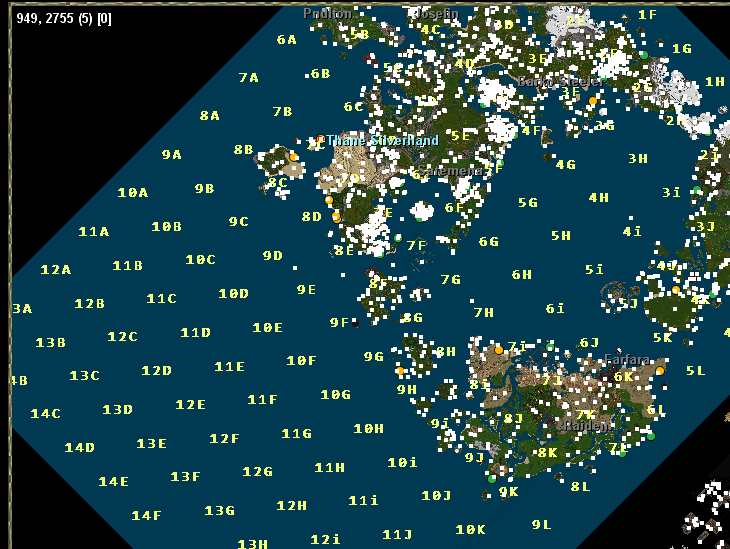
“We’re south of 13E going toward 13D”
It provides easy orientation. Process is the same: extract oceangrid.csv to the Client folder and the icons to MapIcons.
Location Sharing
Section titled “Location Sharing”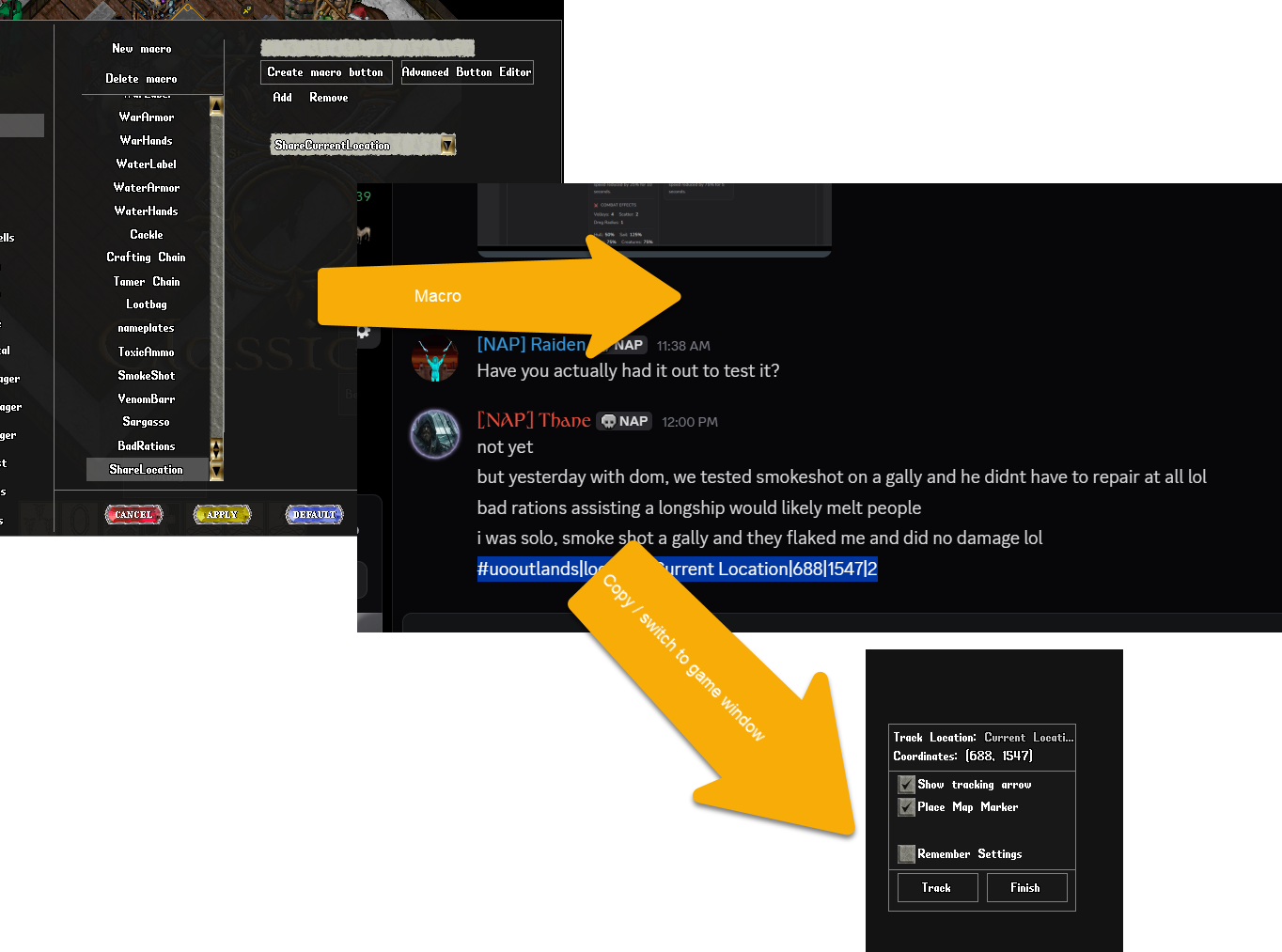
Set up a macro to get a copy/pasteable gump for others to track your position. Click the macro button and you’ll get a hashtag copied to your clipboard. Paste it in chat for people to use as a map marker / tracking arrow.
Example:
#uooutlands|location|Current Location|688|1548|2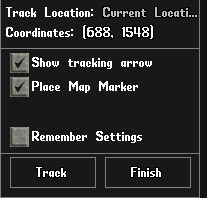
The numbers are x,y coordinates — useful for bosses and meeting spots.